Good Company Coming soon for iPhone. Email us to ask for early access.

Your coach for every walk and run

Get fit and stay that way.

Good Company plans every walk and run around you, talks you through it, and changes the plan as you go.

Coming soon for iPhone. Email us to ask for early access.

Want to try it early? Ask for early access
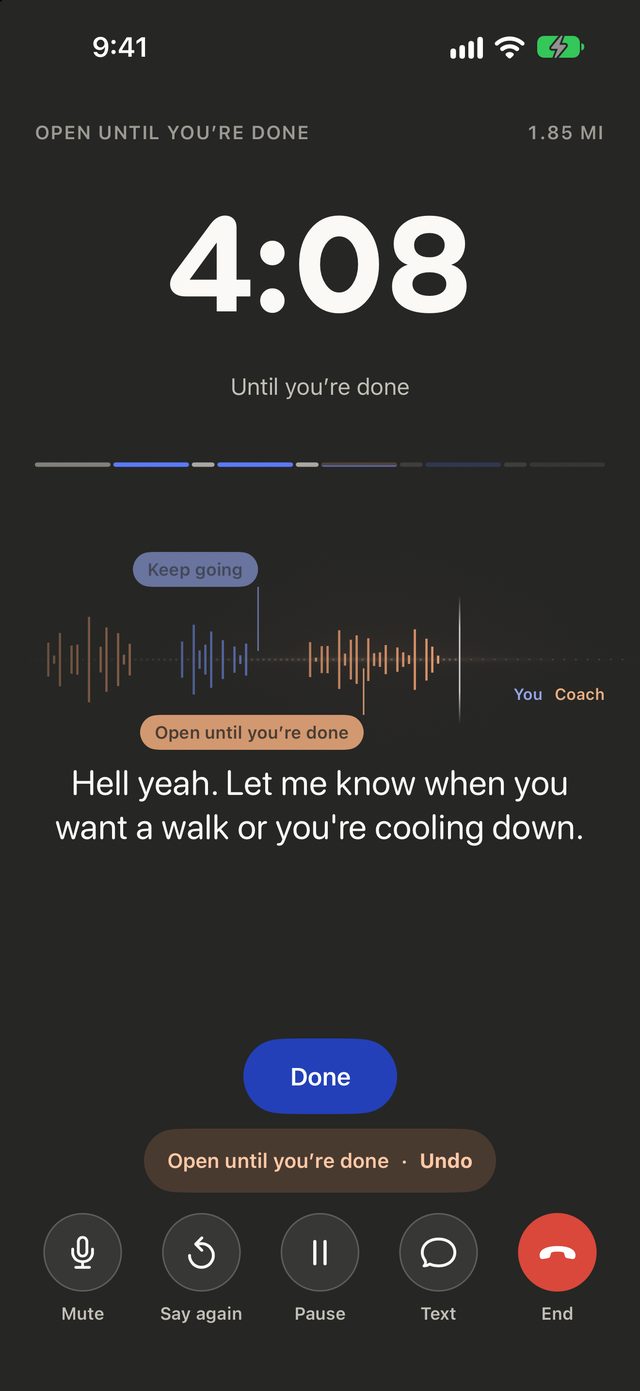
The live session screen mid-run: 4:08 until you’re done, the session’s run and walk bar, and your coach saying “Hell yeah. Let me know when you want a walk or you’re cooling down.” Buttons for Mute, Say again, Pause, Text and End sit below.

Every session

Plan. Talk. Improve.

Every session is planned around your goal, your week and how you feel today. Your coach talks with you while you’re out, and the next plan learns from how it went.

Today

A plan built around you

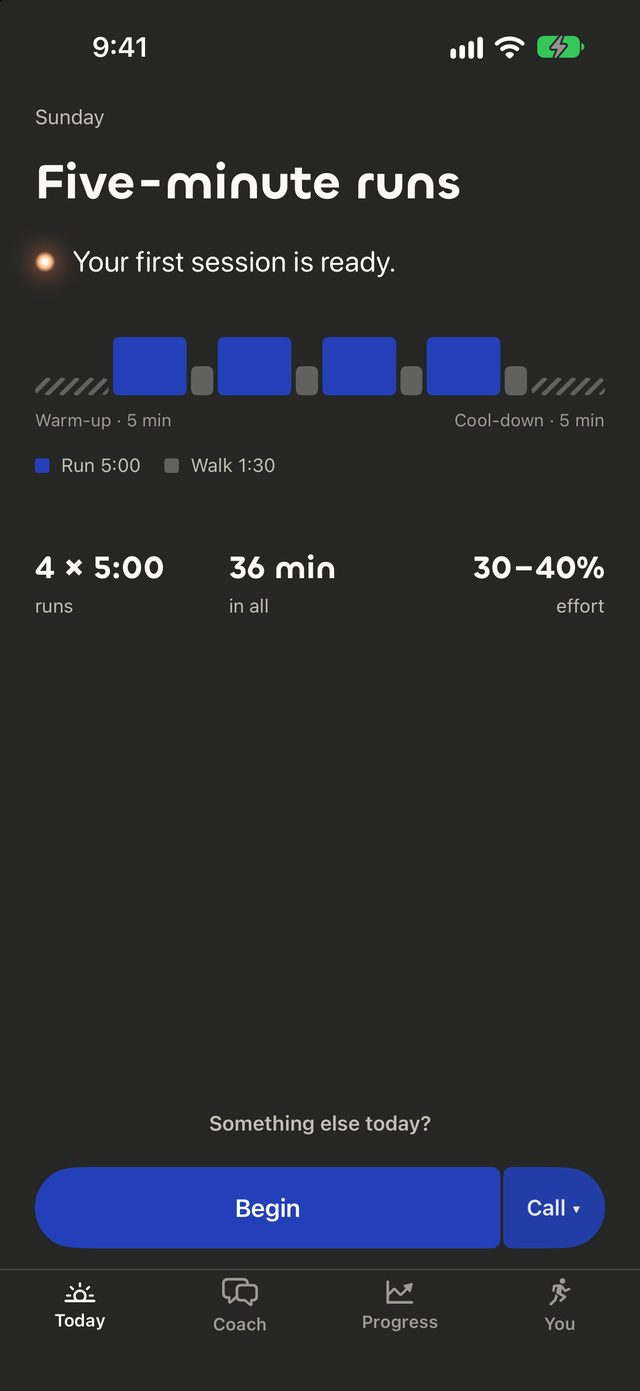
Every walk and run is planned for you, with a warm-up and a cool-down, and shaped by your goal and how your week has gone.

The Today screen: Five-minute runs, “Your first session is ready.” Four five-minute runs with 1:30 walks between them, a five-minute warm-up and cool-down, 36 minutes in all, with a Begin button and a Call option.

Live

Talk to your coach mid-run

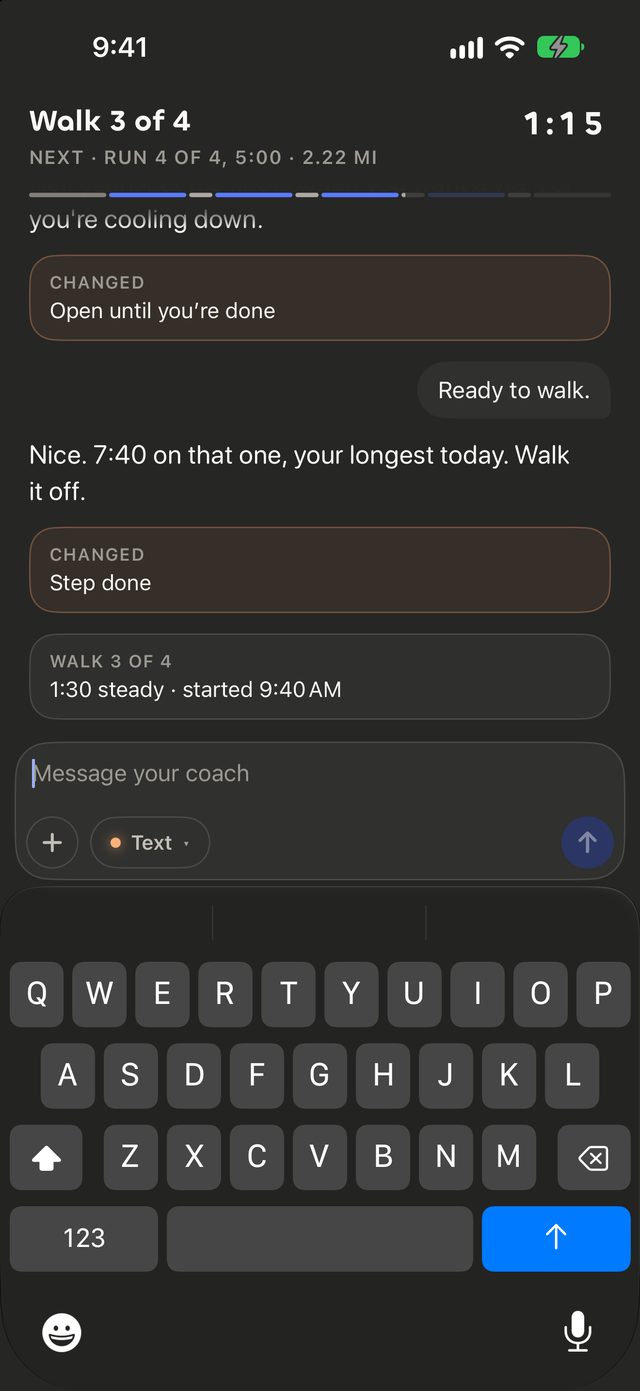
Say “I need a walk” or “that felt easy”, and today’s session changes on the spot. Every voice action has a button too.

The live session screen mid-run, with 4:08 on the clock, a bar of the session’s runs and walks, and your coach’s reply on screen. Mute, Say again, Pause, Text and End buttons sit at the foot.
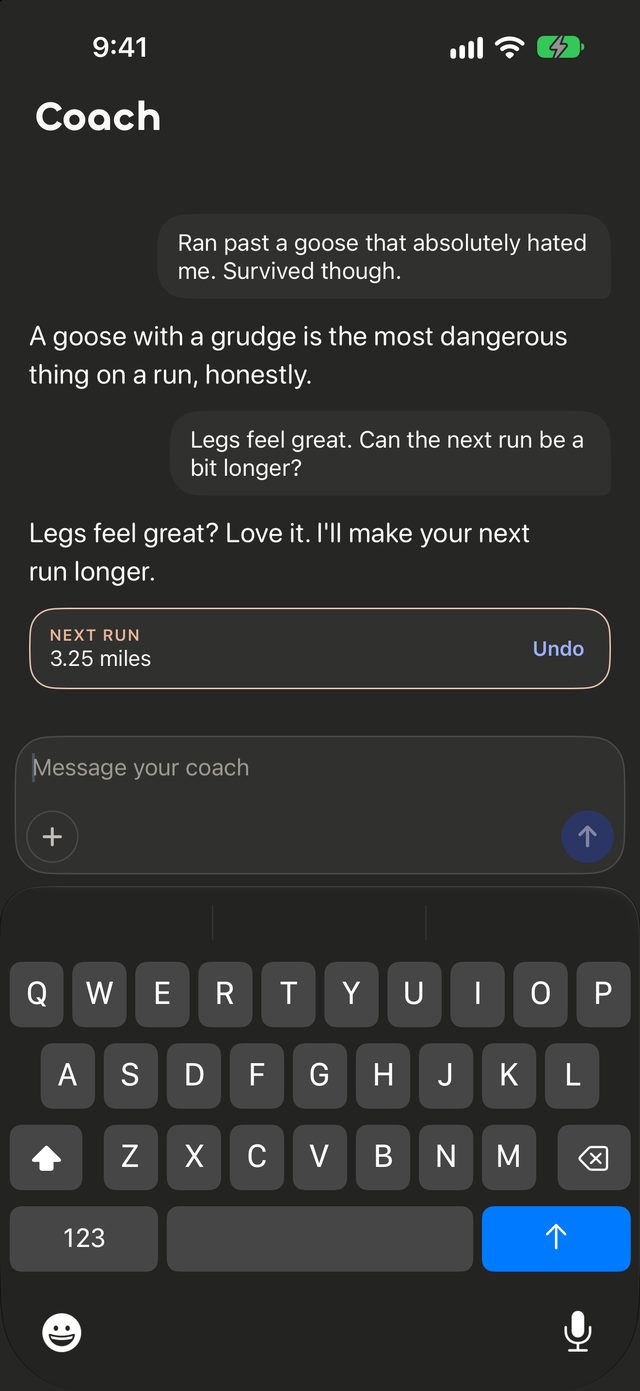
The coach chat after a voice request: the athlete says legs feel great and asks for a longer next run, your coach replies it will make the next run longer, and a card shows the next run at 3.25 miles with an Undo button.

Coach

Ask your coach anything

Between runs, ask for a longer run, an easier week or a change of plan. Your coach explains the why, and you can undo anything.

The Coach tab: a short chat in which the athlete says their legs feel great and asks whether the next run can be a bit longer. Your coach agrees, and a card shows the next run at 3.25 miles with an Undo button.

Progress

See how far you’ve come

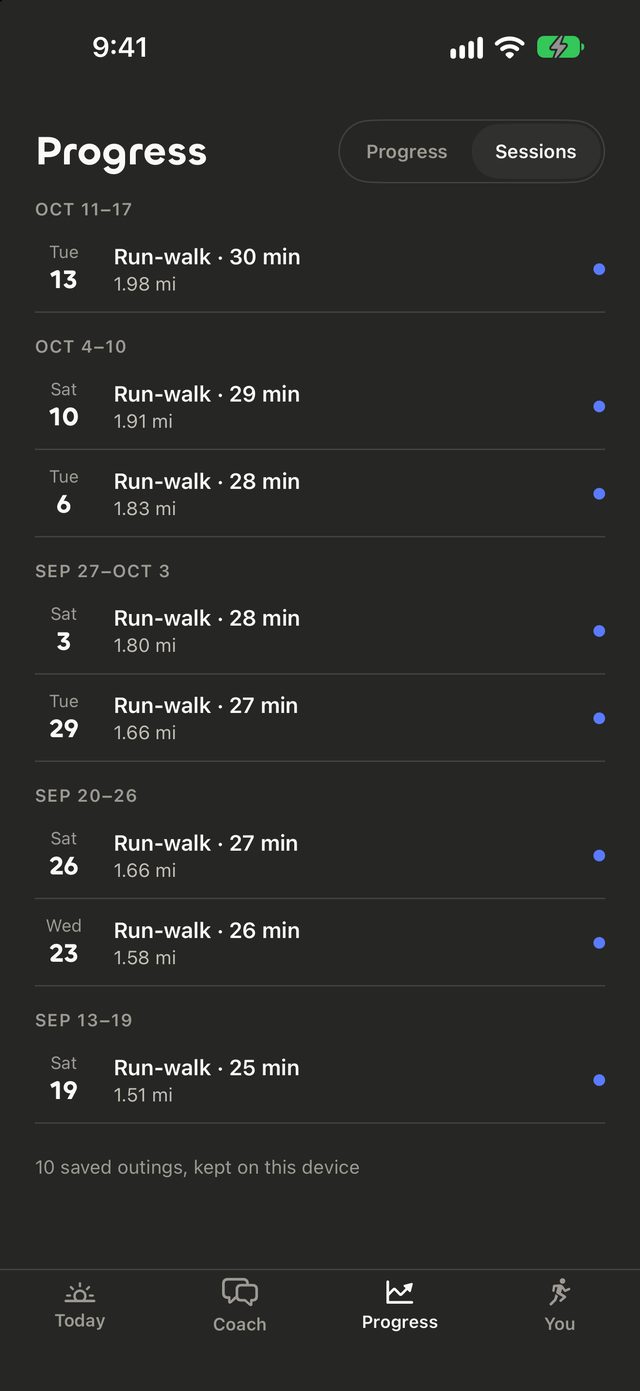
Every walk and run is saved on your phone, so you can see the weeks add up.

The Progress tab on Sessions, listing week by week the run-walk sessions with their length and distance, and a note that ten saved outings are kept on this device.

Your coach knows

A coach who remembers

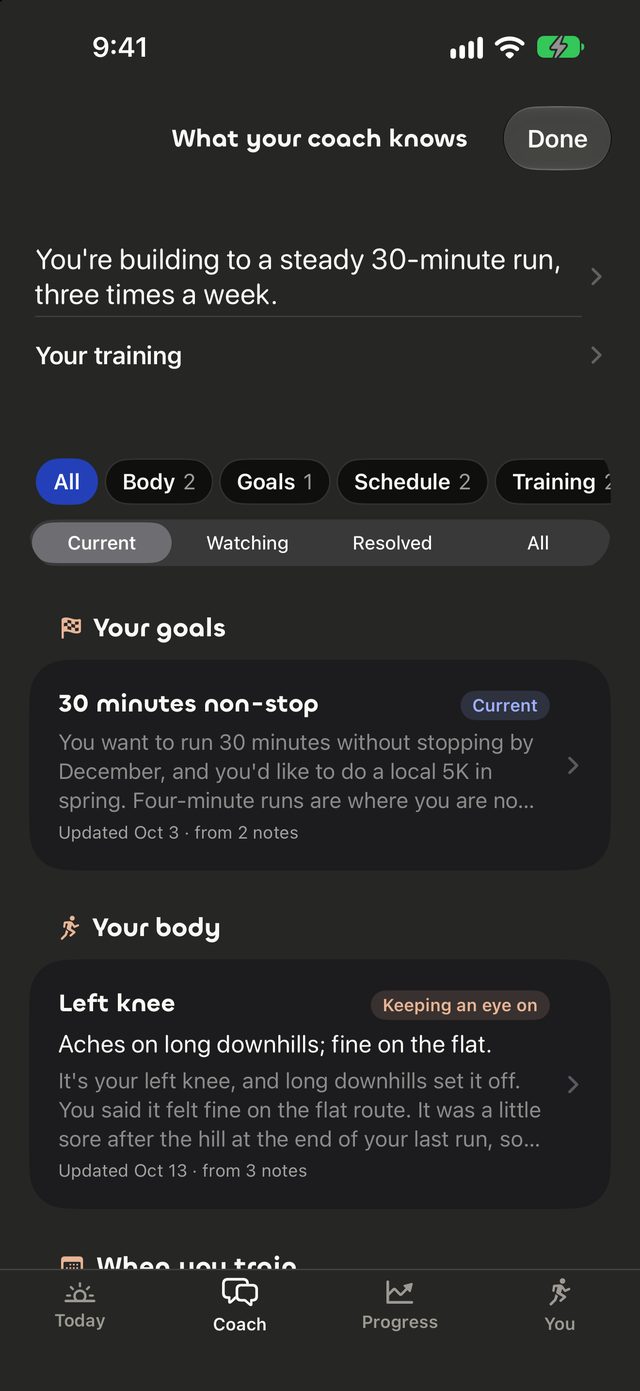
Your goals, a sore knee, the days you like to train. Your coach keeps it in mind, and you can see and edit every note.

The What your coach knows screen: a summary of a steady 30-minute run three times a week, filters for goals, body and schedule, and notes such as the goal “30 minutes non-stop” and a keep-an-eye-on note about a knee, each showing when it was updated.

Apple Watch

On your wrist, too

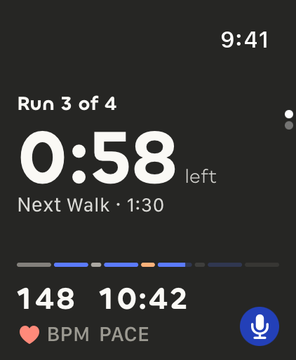
Your Apple Watch shows your step, time left, heart rate and pace at a glance, while your iPhone carries the conversation.

The Apple Watch during a session: Run 3 of 4, 0:58 left, next walk 1:30, the session’s run and walk bar, heart rate 148 BPM and pace 10:42, with a microphone button.

Goals

Start with a goal

  • 30 minutes non-stop in 6 weeks
  • Your first 5K
  • Run a mile without stopping
  • Back to running 3x a week
  • Walk every day
  • 10K by spring
  • Faster 5K in 8 weeks
  • Run three times a week
  • Walk-run your first race
  • Get back after a break
  • Run with your dog 3x a week
  • Train for a half

Questions

Good to know

What is Good Company?

Fitness coaching that plans each session around you and helps you improve over time. It starts with walking and running, and you get it on iPhone and Apple Watch. You talk with your coach while you’re out.

Can I talk to my coach mid-run?

Yes. Say “I need a walk” or “that felt easy”, and your coach responds. Every voice action also has a button.

Is it for beginners?

Yes. Sessions can mix walking and running, and each plan follows your goal, your recent outings and how you feel today.

Is it only for walking and running?

For now. Walk-run comes first, and strength and other kinds of training follow over time.

What does it cost?

Yearly starts with 7 days free, then $179.99 a year. Monthly is $29.99 a month, with no free trial. Cancel anytime in Settings. More answers are on the Support page.

Which devices?

It’s coming soon to the App Store for iPhone and Apple Watch, in the United States, for adults 18 and over.